If you run a digital marketing agency in Hyderabad, you already know Canva Pro isn't optional anymore — client social posts, ad creatives, pitch decks, and reels all move faster with it. But paying full official price for every designer, intern, and account manager on your team adds up fast. This guide breaks down how a Canva Pro subscription for digital marketing agencies under ₹200 actually works, whether it's safe for agency use, and how it compares to Canva's official per-seat pricing.
We'll cover the real price for agency teams, an honest review of the multi-seat access model, how it holds up for client work and Brand Kits, a full cost comparison against official Canva pricing, common mistakes agencies make when buying cheap subscriptions, and everything a Hyderabad-based agency should check before ordering seats for the whole team.
What Is a Canva Pro Subscription for Digital Marketing Agencies?
Canva Pro is the paid tier of Canva that unlocks premium templates, the Background Remover, Magic Resize, Brand Kit, unlimited folders, and far more cloud storage than the free plan. Officially, Canva Pro in India costs roughly ₹499 a month or around ₹4,000 a year per seat — a real expense once you're paying for a designer, a content lead, a social media manager, and an intern separately.
A Canva Pro subscription for digital marketing agencies under ₹200 works differently. Canva's Team and Business plans let one billing account add multiple members as seats, and the per-seat cost drops sharply once split across five, ten, or more people. Beeway buys such a team plan and shares individual seats with agencies across Hyderabad — mostly by adding each team member's own email as a Canva team member. This is exactly why the price can drop so far below Canva's official per-seat rate without it being piracy.
Yes, a genuine Canva Pro subscription for digital marketing agencies under ₹200 in Hyderabad exists — it works through Canva's own team-sharing feature, sold as individual agency seats by a transparent seller. It is not a hacked account or a cracked app.
Canva Pro Under ₹200 for Hyderabad Agencies — Honest Review
The biggest factor in whether a Canva Pro subscription for a digital marketing agency turns out to be a good decision is the seller, not the concept itself. Canva's own Canva for Teams documentation confirms that team plans are built to be shared across multiple members under one billing account, so a legitimate reseller is simply monetising seats they aren't personally using.
For an agency specifically, what matters most is whether every team member gets their own login (so client work stays organised per person), whether the seller can add more seats as the agency grows, and whether they offer a replacement if access is revoked mid-term. Sellers who dodge these basics are usually behind the negative reviews you'll find online.
How Multi-Seat Agency Access Actually Works
There are two common access models, and every agency owner should know the difference before ordering seats for the team.
1. Shared Login / Folder Access
Your team gets a login to a shared Canva account or is invited into a shared team folder. Everyone gets full Pro features inside that space, but the account itself belongs to the seller. This is the cheapest model but makes it harder to keep individual client projects separate.
2. Email-Based Team Invite (Recommended for Agencies)
Beeway adds each team member's own Gmail or Outlook address as a member of the agency's Canva team. Every designer or account manager logs in with their own email and password, keeps their own client folders private within their profile, and simply inherits Pro features from the team's plan. This is slightly pricier per seat but is far better suited to running multiple client accounts at once.
For agencies, always choose email-based team invites over a shared login. It keeps client folders organised per team member and avoids one person accidentally overwriting another's work.
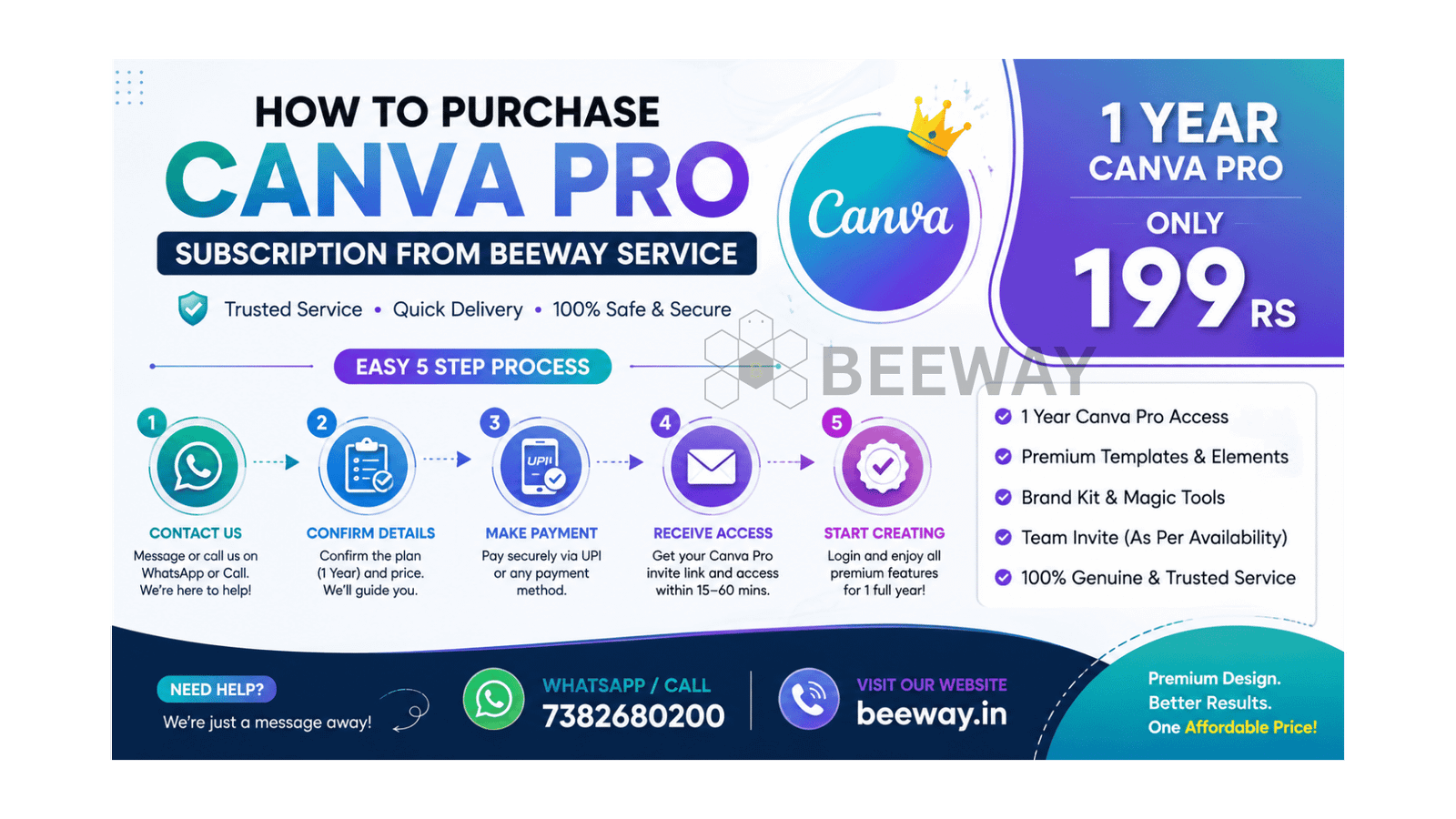
Step-by-Step: Getting Canva Pro Seats for Your Agency Team
Message Beeway on WhatsApp with your seat count
Tell us how many team members need access — designers, social media managers, interns — so we can confirm current stock and validity for that many seats.
Confirm the per-seat price and replacement policy
Get the exact per-seat price in writing, and ask what happens if access stops working for any member before the validity period ends.
Pay via UPI
Beeway accepts UPI or bank transfer, giving your agency a traceable payment record for accounting purposes. Avoid sellers who only accept untraceable payment methods.
Receive team invites within 15–60 minutes
Each team member gets a Canva team invite link on their registered email. They log in individually and verify Pro features are active on their account.
Save your renewal date and track seats
Note the validity end date for the whole team so you can renew or add seats in time, avoiding a gap in access mid-project.
Canva Pro Price: Official vs Agency Team Plan
Here's how a Canva Pro subscription for digital marketing agencies under ₹200 compares against Canva's own official per-seat price, so you can see exactly what an agency saves as the team grows.
| Plan | Official Canva Price (per seat) | Beeway Agency Subscription Price | Access Type |
|---|---|---|---|
| Monthly Pro | ~₹499/month | ₹99 – ₹199/month | Email-invite (per member) |
| Yearly Pro | ~₹4,000/year | Under ₹200/year | Email-invite (per member) |
| 5-Seat Agency Team (yearly) | ~₹20,000/year | Under ₹1,000/year | Email-invite, 5 separate logins |
| Free Plan | ₹0 forever | N/A | Individual, official, limited features |
Prices vary by season and seller stock; always confirm the latest per-seat figure on WhatsApp before ordering for your team. Official pricing should be verified on Canva's own pricing page since it can change.
How Hyderabad Agencies Actually Use Canva Pro
For a typical digital marketing agency, Canva Pro isn't a single-use tool — different roles on the team lean on different features every day.
- Social media managers: Use Magic Resize to turn one client creative into Instagram, Facebook, and LinkedIn dimensions in seconds, and the content planner to schedule posts.
- Designers: Rely on Background Remover, premium templates, and stock elements to turn around client creatives faster than in Photoshop for routine work.
- Account managers: Use shared client folders and Brand Kits to keep every client's logo, fonts, and colour palette consistent across campaigns without re-uploading assets each time.
An agency running five or more client accounts often needs multiple Pro seats at once. At official pricing that's ₹20,000+ a year — at under ₹200 per seat, the same team gets the same tools for a fraction of the cost.
Brand Kit & Client Folder Management for Agencies
Since each team member gets their own genuine Canva Pro login through the email-invite model, agencies can set up a separate Brand Kit for every client — logo, brand colours, and fonts saved once and reused across every creative that client's account touches. Shared team folders also mean a designer can hand off a half-finished creative to another team member without exporting and re-importing files.
This matters more for agencies than for individual users, since a single account juggling five or six different client brands without organised folders quickly turns messy — mixing up one client's fonts with another's is an easy, avoidable mistake.
Never download "Canva Pro Mod APK" files or enter your Canva password on third-party websites promising unlimited free access for your agency. These are common vectors for credential theft, not real Canva features, and can put client work at risk.
Yearly Cost Breakdown for a 5-Seat Agency Team
For any agency running Canva across the whole design team, a yearly plan almost always works out cheaper than paying monthly per seat, whether official or through an affordable team subscription.
| Route | Yearly Cost (5 seats) | Effective Cost Per Seat |
|---|---|---|
| Official Canva Pro (5 individual accounts) | ~₹20,000 | ~₹4,000/seat |
| Beeway agency team subscription (yearly) | Under ₹1,000 | Under ₹200/seat |
| Canva for Education (not applicable to agencies) | N/A | N/A |
This is where "under ₹200" makes the most sense for an agency: five seats spread across twelve months land at a fraction of what Canva's official per-seat rate would cost the same team, freeing up budget for ad spend or tools elsewhere.
Tips & Best Practices Before You Buy
- Ask for the seller's replacement or refund policy in writing before paying for the whole team.
- Always choose email-invite access over shared logins so client folders stay organised per team member.
- Pay via UPI or bank transfer so there's a payment trail for your agency's accounting.
- Check recent reviews or community feedback for the specific seller, not just generic "cheap Canva Pro" reviews.
- Set a calendar reminder for your renewal date so the whole team is never caught mid-campaign without Pro access.
Common Mistakes Agencies Should Avoid
Avoid These
- Paying full amount upfront for the whole team to unknown sellers with no reviews
- Downloading "cracked" Canva apps instead of using the real web app for client work
- Putting client design files on a shared login without asking how access works
- Ignoring the validity period and losing track of renewal dates for the whole team
- Believing any "lifetime free agency plan" claim without checking Canva's own terms
Do This Instead
- Confirm access type and replacement policy before paying for multiple seats
- Use Canva.com directly, never third-party APKs, for any client-facing work
- Use email-invite access per team member so client folders stay separate
- Track validity dates and renew a few days early before a campaign deadline
- Ask about adding seats as your agency's design team grows
Advantages & Disadvantages of an Agency Team Subscription
Advantages
- Full Pro feature set for the whole team at a fraction of the official per-seat price
- Fast delivery, often within an hour, so onboarding a new hire is quick
- Scales easily — add seats as your agency takes on more clients
- No long-term financial commitment locking your agency into official pricing
Disadvantages
- Access depends on the reseller's own team plan staying active
- Shared-login models offer less privacy across different client accounts
- No official Canva customer support channel for reseller-based seats
- Requires trusting a third party rather than Canva directly
"For an agency, the cheapest seat isn't the best deal if it disappears mid-campaign — reliability matters as much as price."
Real Examples & Use Cases
Example 1 — Small Hyderabad agency (3 seats): A boutique social media agency handling five clients needed Canva Pro for its designer, content lead, and founder. Rather than paying roughly ₹12,000 a year for three official seats, an agency team subscription under ₹200 per seat covered the same feature set for under ₹600 total.
Example 2 — Growing agency (8 seats): A performance marketing agency scaling its creative team added seats one at a time as it hired, using Brand Kits to keep each client's assets separate, instead of paying the full official rate upfront for a team that wasn't fully staffed yet.
Example 3 — Freelance-to-agency transition: A freelance designer who started taking on a small team used the email-invite model so each new hire got their own login from day one, avoiding the mess of a single shared account juggling multiple client brands.
Want Canva Pro for Your Digital Marketing Agency Under ₹200?
Beeway lists current Canva Pro stock, per-seat validity, and pricing openly for Hyderabad agencies — no hidden terms, fast WhatsApp delivery, and replacement support if access breaks mid-term.
Frequently Asked Questions
Yes, through Beeway's team-invite access, individual seats work out under ₹200 per year per member, well below Canva's official monthly rate.
Yes, it uses Canva's own team-sharing feature, where your agency's emails are added as members of a Canva Team plan. It is not a cracked app or pirated login.
Beeway can set up multiple seats for an agency, typically one email-invite per team member, so designers, social media managers, and account handlers can each work independently.
Yes, since it runs on genuine Canva Pro, agencies get Brand Kit, Background Remover, Magic Resize, and shared folder features for organising multiple client accounts.
Canva's official India pricing is approximately ₹499 per month or around ₹4,000 per year per seat, which becomes expensive fast for agencies needing several seats.
Canva's Team and Business plans let one billing account add multiple members as seats, and per-seat cost drops sharply once split across several people, which is exactly how agency-priced access works.
Most orders are delivered to the registered agency emails within 15 to 60 minutes of payment confirmation during working hours.
Yes, agencies can message Beeway anytime to add more seats as their design team grows, or renew existing seats before the validity period ends.
No official lifetime plan exists. The realistic long-term low-cost route for agencies is renewing an affordable yearly team subscription each year through a transparent seller.
You can order directly through Beeway's WhatsApp, where current stock, per-seat pricing, and agency bulk options are confirmed before you pay.
Conclusion
A Canva Pro subscription for digital marketing agencies under ₹200 in Hyderabad is a realistic, legitimate option when it's bought from a transparent seller who explains the access model clearly. Comparing Canva's official per-seat price against agency team-plan rates — and choosing email-invite access so every team member's client work stays organised — is the difference between a great deal and a frustrating one.
Whether your agency has three people or thirty, this kind of subscription makes running a full Canva Pro design team affordable, as long as you buy smart and buy from a seller like Beeway that's upfront about how access works and can scale seats as your agency grows.