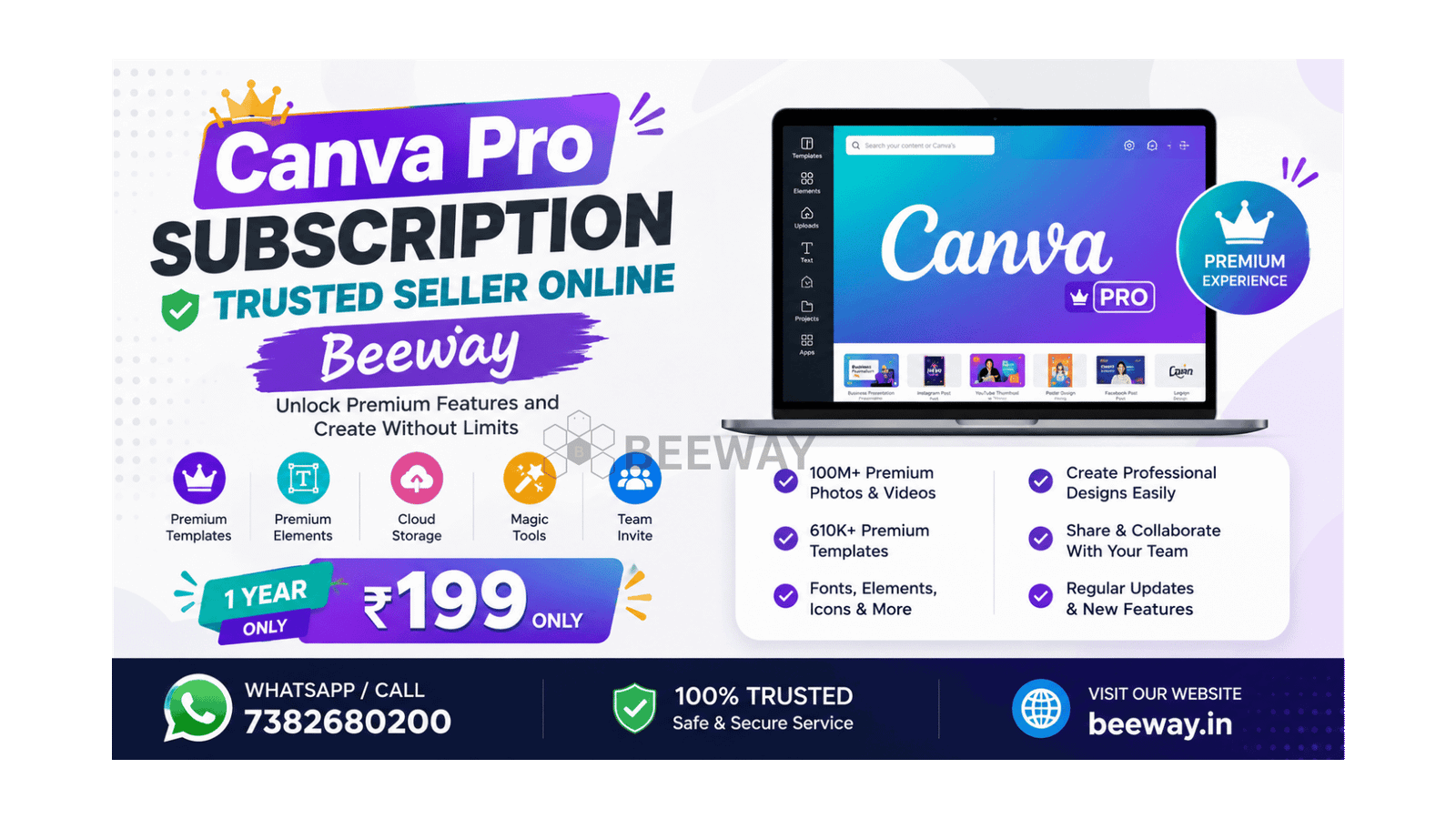
If you're searching for a Canva Pro subscription in Telugu — either to buy affordable access as a customer, or to start your own Canva Pro seller side business — this guide walks through everything step by step. We'll also cover the two questions Telugu users ask most: how to write Telugu in Canva, and how to learn Canva step by step even with zero design background.
By the end, you'll know exactly how to be a Canva Pro seller, how to type and design in Telugu inside Canva, the fastest path to learning the tool, and whether getting Canva Pro for free in 2026 is actually possible.
What Is a Canva Pro Subscription (Telugu Seller Online)?
Canva Pro unlocks premium templates, Background Remover, Magic Resize, Brand Kit, and far more cloud storage than Canva's free plan. Officially, Canva Pro costs around ₹499 a month or roughly ₹4,000 a year in India — a real expense for Telugu students, small shop owners, and content creators who just need it occasionally.
A Telugu seller online — like Beeway — buys a Canva Team or Business plan in bulk and shares individual seats with buyers across Andhra Pradesh, Telangana, and beyond, at a fraction of Canva's official price. This works through Canva's own team-sharing feature, so it's genuine access rather than a hacked or cracked copy, as long as the seller is transparent about how it's delivered.
Yes, a genuine Canva Pro subscription through a Telugu seller exists — it uses Canva's own team-sharing feature, sold as individual seats. It's not a pirated account, and delivery is usually within an hour on WhatsApp.
How to Be a Canva Pro Seller?
Plenty of Telugu-speaking students and freelancers ask how to be a Canva Pro seller themselves, since it's a low-investment side business. Here's the honest breakdown of how it works:
- Buy a Canva Team or Business plan. These plans let one billing account add multiple members as seats, and the per-seat cost drops sharply once split across five, ten, or more people.
- Choose your access model. You can either share one login across several buyers (cheapest, less private) or add each buyer's own email as a team member (slightly pricier, more private and controllable).
- Price your seats fairly. Compare Canva's official monthly/yearly rate against your bulk cost, then price seats low enough to attract buyers while still covering your plan cost and margin.
- Be transparent with buyers. Clearly explain the access method, validity period, and what happens if access breaks — this is what separates a trusted seller from a one-star review.
- Handle delivery and support. Deliver access within an hour of payment, keep a simple replacement policy, and use WhatsApp or a similar channel so buyers can reach you quickly.
Start small — one Canva Team plan and a handful of seats — before scaling up. Reputation among Telugu student and small-business communities travels fast, both ways.
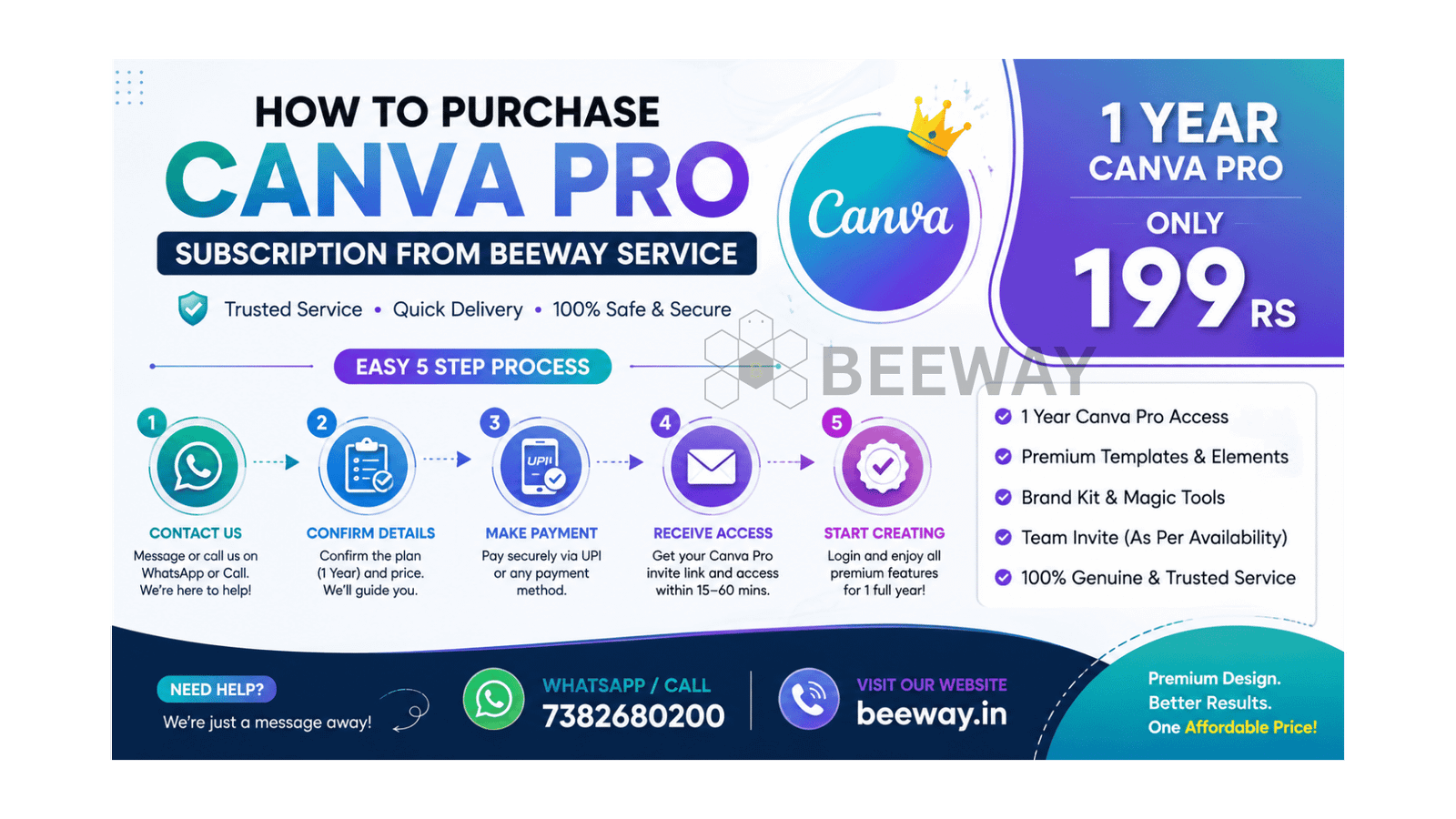
Step-by-Step: How to Buy Canva Pro From a Telugu Seller
Message Beeway on WhatsApp
Ask for current stock, validity (1 month/1 year), and whether access is shared-login or email-invite based.
Confirm the price and replacement policy
Get the exact price in writing, and ask what happens if access stops working before the validity period ends.
Pay via UPI
Beeway accepts UPI or bank transfer, giving you a traceable payment record. Avoid sellers who only accept untraceable payment methods.
Receive access within 15–60 minutes
You'll get either a login or a team invite link on your registered email. Log in and verify Pro features are active.
Save your renewal date
Note the validity end date so you can renew in time and avoid a gap in access mid-project.
How to Write Telugu in Canva?
Once you have Canva Pro, the next question most Telugu users ask is how to write Telugu in Canva, since Canva doesn't have a built-in Telugu typing tool. Here's the simplest working method:
1. Type Telugu Using Google Input Tools
Open Google's Telugu input tool (or your phone's built-in Telugu keyboard), type your text in Telugu script, then copy it. Paste the copied text directly into a text box inside your Canva design.
2. Apply a Telugu-Supporting Font
Not every Canva font renders Telugu correctly. Search the Canva font dropdown for Noto Sans Telugu, Mandali, Ramabhadra, or Gidugu — these are Google Fonts built specifically to support Telugu script cleanly.
3. Adjust Line Height and Spacing
Telugu script often needs slightly taller line height than English text because of the vowel marks (matras) above and below letters. Increase spacing under the text panel until the script looks clean and unclipped.
On mobile, the exact same method works — type in Telugu using your keyboard app, copy, paste into the Canva app, and pick a Telugu-supporting font from the same font list.
How to Learn Canva Step by Step?
You don't need a design background to learn Canva. Most beginners, including complete non-designers, can get comfortable within a week by following a simple order:
- Start with templates. Pick a free template close to what you need and edit the text, colors, and images rather than designing from a blank canvas.
- Learn the text tool. Practice changing fonts, sizes, alignment, and spacing — this alone covers most everyday design needs.
- Set up a Brand Kit. Add your logo, brand colors, and fonts once, so every future design stays consistent automatically.
- Learn Magic Resize. Resize one design into Instagram, YouTube thumbnail, and poster formats instantly instead of rebuilding each one.
- Try Background Remover and animation. These two Pro features give the biggest visible upgrade in output quality for the least learning effort.
- Practice daily with real projects. Design one real poster, story, or thumbnail a day for two weeks — practical repetition beats watching tutorials alone.
Canva's own Design School and free YouTube tutorials in Telugu and English cover every feature mentioned above at no cost — you only need Canva Pro for the premium templates and tools themselves.
How to Get Canva Pro for Free in 2026?
There are only a few genuine ways to access Canva Pro for free in 2026 — everything else advertised as "100% free forever" should be treated with suspicion.
- Canva's 30-day free trial: New accounts can try full Pro features free for 30 days directly from Canva, no reseller needed.
- Canva for Education: Verified students and teachers with a valid institutional email get free Pro-equivalent access permanently while eligible.
- Canva for Nonprofits: Registered nonprofit organisations can apply for free Canva Pro access for their team.
- Group/team split: A group of friends or students can pool money for one Canva Team plan and split the seats, effectively lowering everyone's individual cost close to free.
Never download "Canva Pro Mod APK" files or enter your Canva password on third-party sites promising unlimited free access — these are common credential-theft traps, not real Canva features.
Canva Pro Price: Official vs Telugu Seller
Here's how a Canva Pro subscription from a Telugu seller compares against Canva's own official pricing, so you can see exactly what you're saving.
| Plan | Official Canva Price | Beeway Telugu Seller Price | Access Type |
|---|---|---|---|
| Monthly Pro | ~₹499/month | ₹99 – ₹199/month | Shared/Email-invite |
| Yearly Pro | ~₹4,000/year | ₹149 – ₹699/year | Shared/Email-invite |
| Canva for Education | Free (verified students/teachers) | Not applicable | Individual, official |
| Free Plan | ₹0 forever | N/A | Individual, official, limited features |
Prices vary by season and seller stock — always confirm the latest figure on WhatsApp before ordering. Official pricing should be verified on Canva's own pricing page since it can change.
Tips & Best Practices Before You Buy
- Ask for the seller's replacement or refund policy in writing before paying.
- Prefer email-invite access over shared logins if you plan to store client or personal work in Canva.
- Pay via UPI or bank transfer so there's a payment trail if something goes wrong.
- Check recent reviews or community feedback for the specific seller, not just generic "cheap Canva Pro" reviews.
- Set a calendar reminder for your renewal date so you're never caught mid-project without Pro access.
Common Mistakes to Avoid
Avoid These
- Paying full amount upfront to unknown sellers with no reviews
- Downloading "cracked" Canva apps instead of using the real web app
- Sharing your primary personal email/password without asking how access works
- Ignoring the validity period and losing track of renewal dates
- Believing any "Canva Pro lifetime free" claim without checking Canva's own terms
Do This Instead
- Confirm access type and replacement policy before payment
- Use Canva.com directly, never third-party APKs
- Use a secondary email for shared/team access when possible
- Track validity dates and renew a few days early
- Check Canva for Education eligibility first if you're a student
Advantages & Disadvantages of Buying From a Telugu Seller
Advantages
- Full Pro feature set at a fraction of the official India price
- Fast delivery, often within an hour, in your own language over WhatsApp
- Great for occasional or short-term design needs
- No long-term financial commitment required
Disadvantages
- Access depends on the reseller's own team plan staying active
- Shared-login models offer less privacy than an individual account
- No official Canva customer support channel for reseller accounts
- Requires trusting a third party rather than Canva directly
"Learning Canva step by step and buying access smartly matters more than chasing the cheapest possible price — reliability and knowing how to use the tool both save money in the long run."
Real Examples & Use Cases
Example 1 — College student in Warangal: Needed Canva Pro for a two-month poster design project in Telugu for a college fest. A ₹149/month Telugu seller subscription covered the same feature set Canva officially charges ₹499/month for.
Example 2 — Small shop owner in Vijayawada: Posts daily Telugu offer posts on WhatsApp Status and Instagram, and switched to a yearly team subscription at ₹499/year instead of Canva's official ~₹4,000/year rate.
Example 3 — Freelance social media manager: Re-verified an old university email to unlock Canva for Education, getting fully free official Pro access instead of paying for any subscription at all.
Want a Canva Pro Subscription Through a Telugu Seller?
Beeway lists current Canva Pro stock, validity, and pricing openly — no hidden terms, fast WhatsApp delivery, and replacement support if access breaks mid-term.
Frequently Asked Questions
You buy a Canva Team or Business plan and resell individual seats to buyers at a lower per-seat price, either as shared-login access or by adding each buyer's email as a team member, while staying transparent about access and replacement policy.
Type in Telugu using Google Input Tools or your phone's Telugu keyboard, copy the text, paste it into a Canva text box, and apply a Telugu-supporting font such as Noto Sans Telugu, Mandali, or Ramabhadra.
Start with free templates and the drag-and-drop editor, learn text and Brand Kit basics, then move to Magic Resize, Background Remover, and animation — practising one new feature a day with real projects.
The genuine free routes are Canva's 30-day Pro trial, Canva for Education for verified students and teachers, and Canva for Nonprofits for eligible organisations. There is no official permanent free-for-everyone Pro plan.
It's reasonably safe when the seller clearly explains whether access is shared-login or email-invite based, offers a replacement if access breaks, and accepts traceable payment methods like UPI.
Most resellers price Canva Pro team access between ₹99 and ₹699 depending on validity, compared to Canva's official rate of roughly ₹499 per month or ₹4,000 per year.
Yes — type using a Telugu keyboard app, paste the text into a text box in the Canva app, and choose a Telugu-supporting font, exactly like on desktop.
Yes. Canva includes several Telugu-supporting Google Fonts such as Noto Sans Telugu, Mandali, Ramabhadra, and Gidugu, searchable directly in the font dropdown once Telugu text is selected.
Conclusion
A Canva Pro subscription in Telugu through a trusted seller is a realistic, affordable option once you know how the access model works. If you're curious about the business side, now you know how to be a Canva Pro seller yourself. If your focus is design, you now know how to write Telugu in Canva, how to learn Canva step by step, and exactly which routes for getting Canva Pro free in 2026 are genuine.
Whether you need it for a single college project, a small shop's daily posts, or as a long-term creative tool, an affordable Telugu-seller subscription makes Canva Pro accessible to almost anyone — as long as you buy smart and buy from a seller like Beeway that's upfront about how access works.